Beginner's guide
New to Aden? Follow these steps and you will be up to speed in no time.
No separate sign-up is needed: enter the ID and password you want in the launcher, and your first login creates the account. Keep your password safe and never share it.
First steps
Your first hour after creating a character
1 · Log in to sign up
Download the launcher and client from the Download page (until downloads open, get them from our official QQ group). Enter an ID and password in the launcher; your first login creates the account. Then create a character.
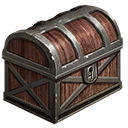
2 · Open the Starter Chest
The Starter Chest in your bag holds the starter gear (melee, magic or ranged). Equip it first.

3 · Set up the Game Helper
Open the Game Helper in your bag and set the common helper options before heading out.

4 · Start leveling
Level up in the Beginner Hunting Ground. Characters below level 40 are under newbie protection. The Shop Return Amulet drops you near the market center.

5 · Try auto-hunting
Once you know the basics, use the Auto-Hunt Talisman. See Systems for the rules.

6 · Build your gear
Collect ability stones and join boss fights and sieges to build up your equipment.
Stats and elixirs
CON keeps you alive, so every class should prioritize it. Put the rest into your main stat:
- Knight, Dark Elf, Dragon Knight, Warrior, Fencer, Royal: STR
- Wizard, Illusionist: INT
- Elf: DEX for archery, STR for melee, INT for magic
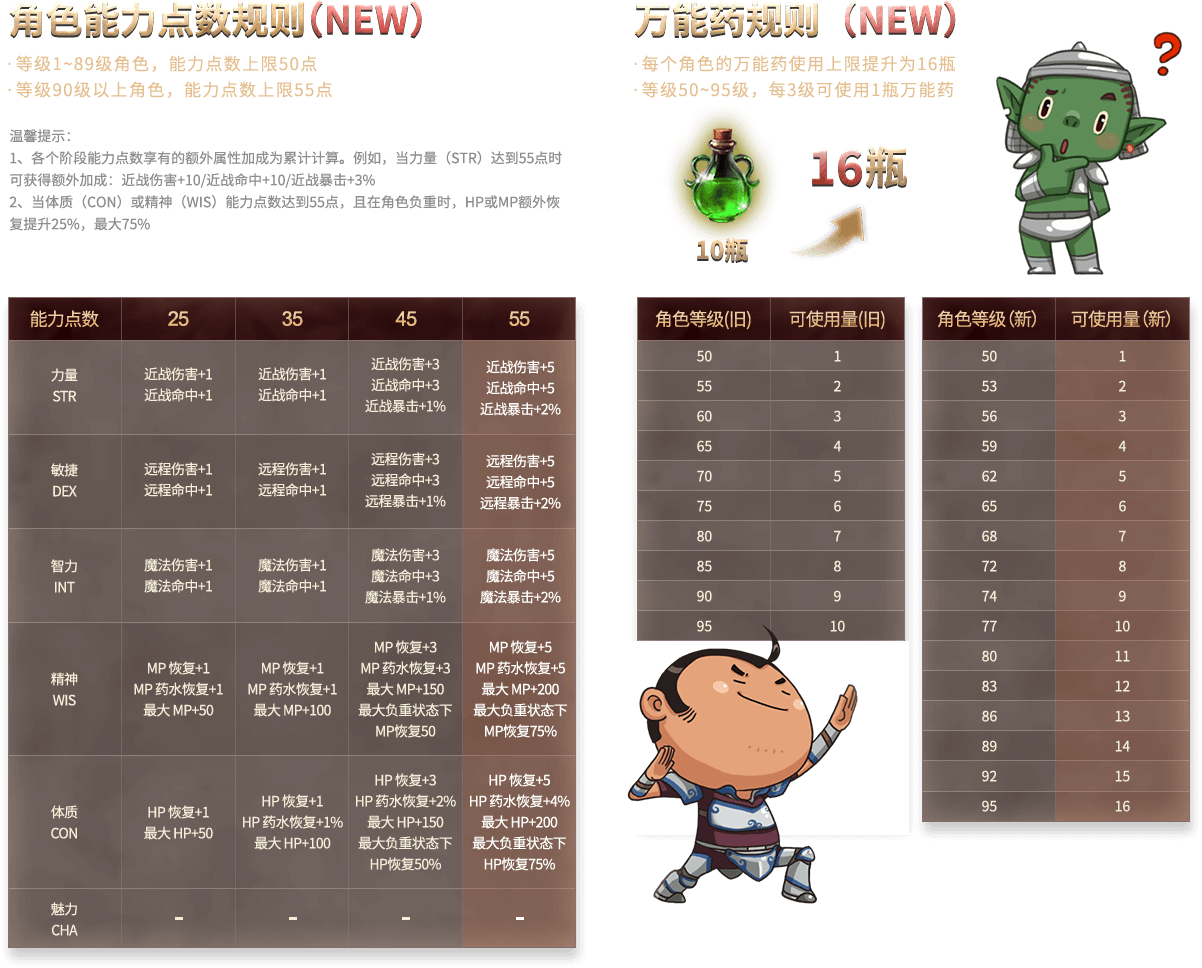
- Elixirs: each one adds 1 point to STR, DEX, CON, INT, WIS or CHA, up to 50 elixirs per character
The image is an official stat-bonus reference. On this server each base stat (excluding gear) caps at 50, or 55 with elixirs from level 90; you can use up to 50 elixirs in total.
Keep exploring
Once you are settled in, read these guides next
FAQ
- Do I need to sign up first?
- No. Your first login creates your account: enter the ID and password you want in the launcher.
- Where do I get the game client?
- Download the launcher and client from the Download page, where you will also find the English client and other language packs. Until downloads open, get them from our official QQ group.
- How do I see what a monster drops?
- You receive a Viewer (查看器) when you log in. Use it on a monster to see the items it can drop.
- Is there an English client?
- Yes. Many of our players live overseas. Ask the staff in our QQ group for the English client.
- What if I disconnect while auto-hunting?
- Turn on offline mode in the auto-hunt menu and keep enough offline time. Your character keeps hunting after you disconnect; logging in again ends offline mode.
- My PK count is too high. What can I do?
- Visit the Goddess of Atonement in town to clear it.
- How do I get Event Gold Coupons?
- Defeat bosses of any tier, the four dragons, the Dark Dragon or event monsters, or join boss events and castle sieges.
- How do I get to the market quickly?
- Use a Shop Return Amulet. It drops you at a random spot near the market center.
- Are there events for returning players?
- Yes. For our second anniversary there is a returning-player event. Ask the staff in our QQ group for details.